CCTV, AI video analytics and access control

Give security and estates teams a clearer view of incidents and control over who can enter restricted areas. Foresolutions supplies and integrates TKH Security technology for NHS hospitals and other multi-site estates.

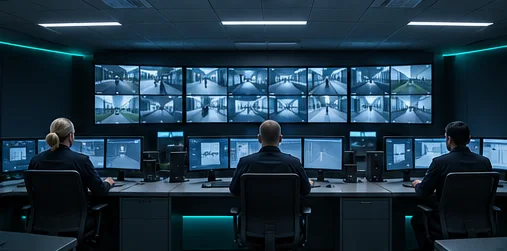
Illustration of a security control room with multiple video displays
Illustrative security control room
Connect it.

What we supply

Images show illustrative equipment and settings. See manufacturer links for the actual products.

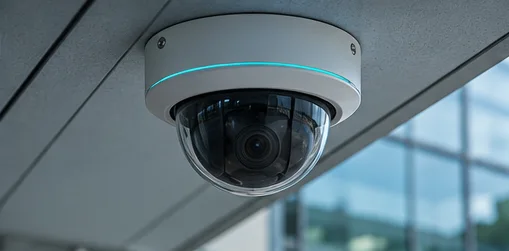
Illustration of a generic dome CCTV camera installed under a soffit

CCTV and surveillance cameras

Specify indoor and outdoor cameras around what operators need to see. Camera selection depends on the required field of view, mounting location, lighting and the level of detail needed in recorded footage.

On site · Plan coverage for public approaches, car park routes and entrances, with camera positions matched to each area.

View CCTV and surveillance cameras specifications

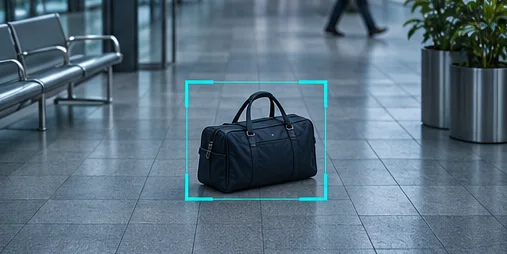
Illustration of a security operator using multiple live video displays

VDG SENSE video management

VDG SENSE brings live and recorded video into one operator interface. Teams can monitor cameras, review incidents and export relevant footage according to their permissions and procedures.

On site · Give a hospital security team a consistent way to review footage across multiple buildings.

View VDG SENSE video management specifications
Illustrative video analytics view highlighting a bag left in a concourse

AI video analytics

VDG SENSE analytics can flag configured events for staff review, including an object left in a monitored area. Availability depends on the camera, analytics software, licence and scene.

On site · Agree which alerts staff can act on, then test them with real site conditions and operator review in mind.

View AI video analytics specifications
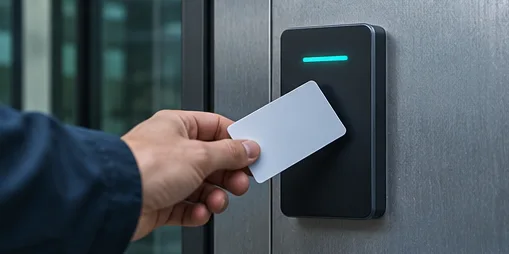
Illustration of a person using a card with a generic door reader

iProtect access control

Manage access permissions by user, door, area or schedule and review access events. Card or mobile credentials depend on the readers, software and configuration selected.

On site · Set different permissions for staff and contractors at restricted doors, with the option to review events centrally.

View iProtect access control specifications
See it.

Where it fits in NHS and healthcare

Public entrances and car parks

Plan coverage around the routes people use and decide which events the security team needs to see or respond to.

Staff-only and service areas

Set door permissions around roles and schedules for staff and contractors across the estate.

Control room and incident review

Where supported, link a door event to the relevant camera view and agree who can review footage or export evidence.

Manufacturer case study · Red Cross Hospital Beverwijk

See how TKH Security and its installer used iProtect to manage access across hospital departments and restricted areas in the Netherlands.

Read the TKH Security case study

Other sectors

The same approach applies to airports, commercial facilities, campuses, construction, logistics and industrial sites. Start with a single building or plan a phased upgrade across an estate.

Explore our NHS and healthcare solutions

Access control for multi-tenant buildings

Images show illustrative equipment and settings. See manufacturer links for the actual products.

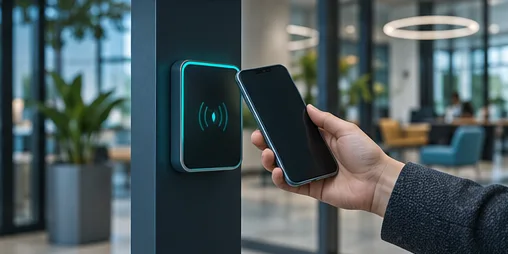
Illustration of a person using a phone with a generic lobby door reader

ATLAS cloud access control

ATLAS gives building and tenant managers a way to administer access across shared properties. Issue mobile credentials, grant time-limited access to guests or contractors and review access events through the system.

On site · In a shared office or healthcare building, manage access to common entrances and tenant areas, and let an authorised manager issue temporary passes for visitors or maintenance teams.

Explore TKH ATLAS for multi-tenant buildings

Questions before you specify

Can we keep existing cameras and door hardware?

We check compatibility, network and storage capacity, and the operator workflows you need before recommending what to retain or replace.

Can CCTV, access control and intercom work together?

Where equipment and interfaces support it, operators can use associated door events, video and intercom calls in the same workflow. We check what each interface supports during design.

What should we decide before trialling analytics?

Agree the event, who reviews the alert, the action they should take, and how you’ll assess results on site. We also discuss the areas being monitored, access to footage and retention with your project team.

Control it.

Plan your installation

We can help with surveys, design, supply, integration, installation and ongoing support. We’ll check camera coverage, door hardware and the network, then work with your team on how operators handle events and review footage.

What operational challenge should we solve?

Tell us what is wasting time, creating risk or making work harder. We’ll design the right solution around it.

Discuss Your Challenge →

Asset visibility Track it.Find it.Use it. Know where it is. Find what teams need. Keep valuable assets working.

Connected operations Connect it.See it.Control it. Connect people and systems. See what matters. Control the response.