Interactive kiosks, intercom and public address

Help people find their way, speak to the right team and hear important announcements. Foresolutions supplies and integrates Commend devices for NHS hospitals, public entrances and other busy sites.

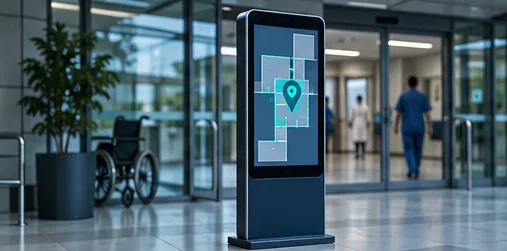
Illustration of a generic wayfinding kiosk in a hospital entrance
Illustrative hospital wayfinding kiosk
Connect it.

What we supply

Images show illustrative equipment and settings. See manufacturer links for the actual products.

Illustration of a generic touchscreen kiosk in a hospital entrance

OD22 interactive touchscreen kiosk

The outdoor-rated 22-inch touchscreen can present interactive wayfinding and offer a direct audio or video call to a staffed point. The kiosk has a built-in camera and is designed for use in public spaces.

On site · At a hospital entrance, let visitors look up a clinic or call reception for help from the same screen.

View OD22 interactive touchscreen kiosk specifications
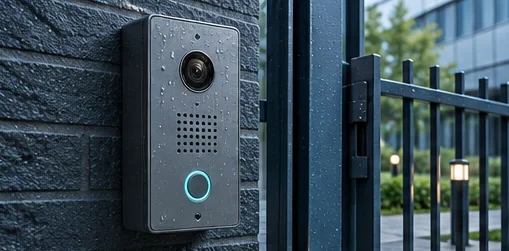
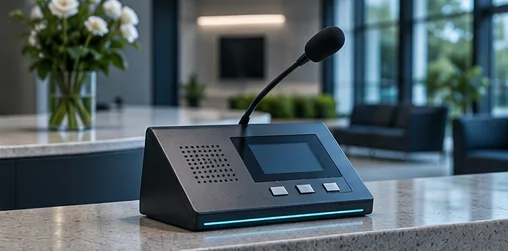
Illustration of a generic outdoor video intercom at a side entrance

OD5 outdoor video intercom

The OD5 TD CM combines a 5-inch touchscreen with hands-free calling and an integrated camera. Configure the call options around the teams who answer, with video where the call setup supports it.

On site · Route calls from an out-of-hours entrance or delivery gate to the team on duty.

View OD5 outdoor video intercom specifications
Illustration of a generic tabletop intercom on a reception desk

ID5 indoor intercom

This desk- or wall-mounted IP station combines a touchscreen and camera with hands-free communication. It can serve as an indoor call point or as a station for the staff answering calls.

On site · At a reception or security desk, give staff a dedicated station for responding to entrance calls.

View ID5 indoor intercom specifications
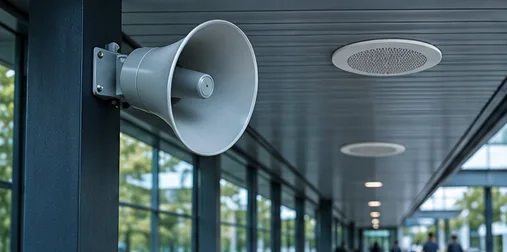
Illustration of generic public address speakers in a covered walkway

IP speakers and public address

Commend’s IP speaker range includes horn, cabinet and ceiling units. Build zones for live or prerecorded announcements and select speaker types to suit the space, mounting position and background noise.

On site · Send a message to an entrance, waiting area or staff zone without broadcasting it across the site.

View IP speakers and public address specifications
See it.

Where it fits in NHS and healthcare

Arrivals and wayfinding

Guide visitors from the hospital entrance to clinics, wards and facilities, with a clear route to live assistance.

Out-of-hours access

Agree who answers entrance calls, where calls go if the first team is busy and when staff can release a supported door.

Announcements by area

Plan speaker locations and zones around where people need to hear messages, such as waiting rooms, entrances and outdoor areas.

Other sectors

Facilities teams can manage calls at shared entrances. Construction and aggregates sites can use outdoor stations and speakers where conditions call for them.

Explore our NHS and healthcare solutions

Emergency help points and airport communications

Images show illustrative equipment and settings. See manufacturer links for the actual products.

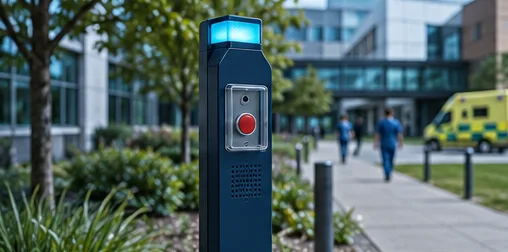
Illustration of a freestanding emergency call point beside a campus walkway

Emergency and information call points

A dedicated help point gives people a visible way to contact a staffed team for directions, assistance or an urgent incident. Options include push-button stations, touchscreen stations and intercom modules for existing kiosks or columns.

On site · Place help points along hospital campus routes, at car parks or in public areas. Agree which team answers and how it identifies the caller’s location.

Explore Commend emergency call points
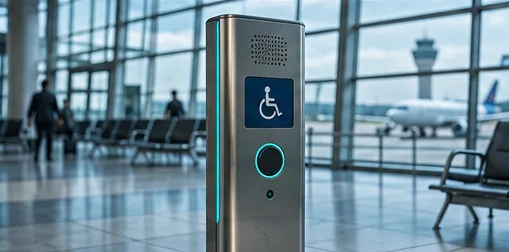
Illustration of a passenger assistance point in an airport terminal

Airport passenger assistance and announcements

Use intercoms to connect passengers with an assistance team at waiting areas, check-in terminals or car parks. Networked PA can send announcements to selected terminal areas or across multiple zones.

On site · Plan where passengers need help and which staff answer at each point, then map announcement zones to the terminal layout.

Explore Commend airport communications

Questions before you specify

Can we use our existing intercom or PA equipment?

We review the network, existing stations, speakers and building-system interfaces before recommending what to reuse or replace.

What should we consider for accessible help points?

We discuss mounting position, screen reach, call options, audio and hearing support with your estates and accessibility teams.

What information helps you specify a system?

Bring a site plan, the main visitor routes, the points where people need help, and who should receive calls or make announcements.

Control it.

Plan your installation

We can help with surveys, design, supply, integration, installation and ongoing support. We’ll work through call routing, speaker coverage and how the devices connect to your existing systems.

What operational challenge should we solve?

Tell us what is wasting time, creating risk or making work harder. We’ll design the right solution around it.

Discuss Your Challenge →

Asset visibility Track it.Find it.Use it. Know where it is. Find what teams need. Keep valuable assets working.

Connected operations Connect it.See it.Control it. Connect people and systems. See what matters. Control the response.